Mastering Your Aroeve Air Purifier: Setup and Use Guide
Using your AROEVE air purifier is simple and effective for cleaner air. Just plug it in, select your desired fan speed, and let it work its magic. You can also activate special modes like sleep mode for quiet operation or auto mode to let the purifier adjust automatically based on your air quality.
AROEVE air purifiers are designed with user-friendliness in mind. They effectively remove common airborne irritants like dust, pollen, and smoke. Understanding how to use its features ensures you get the most benefit from your investment in a healthier home environment. Plus, maintenance is a breeze!
- Unpack and plug in your AROEVE.
- Choose your fan speed or use auto mode.
- Activate sleep mode for quiet nighttime use.
- Remember to replace the filter regularly.
Ready to breathe easier? Let’s walk through exactly how to use your AROEVE air purifier step by step, so you can start enjoying fresher, cleaner air in your home right away.
Getting Your AROEVE Air Purifier Up and Running
So, you’ve unboxed your new AROEVE air purifier. That’s fantastic! You’re probably eager to start breathing cleaner air. We’ve got you covered. This section will guide you through the initial setup and basic operation. It’s designed to be super straightforward, even if you’re not a tech whiz.
Unpacking and Initial Placement
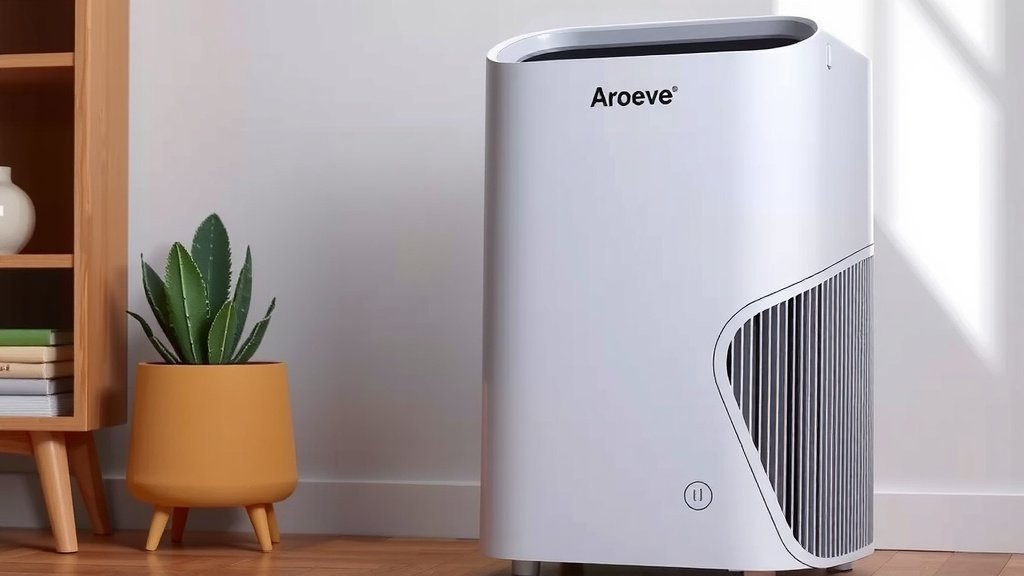
First things first: carefully remove your AROEVE air purifier from its packaging. Make sure to get rid of all the protective films and materials. Sometimes, there’s a plastic wrap around the filter itself that needs to be removed. You’ll usually find instructions for this right on the filter housing. Once unwrapped, find a good spot for it. For optimal performance, we recommend placing it on a flat surface, at least a foot or two away from walls or furniture. This allows for better air circulation.
Powering On and Understanding the Controls
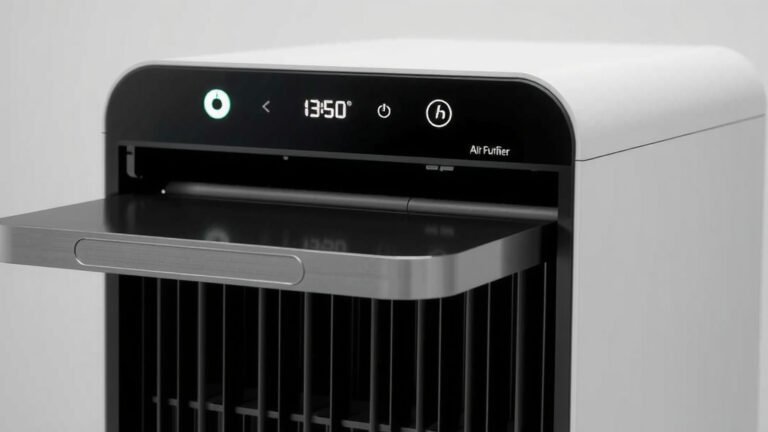
Locate the power cord and plug it into a standard electrical outlet. Your AROEVE should power on immediately, or you might need to press the power button. You’ll typically see a control panel on the top of the unit. Don’t let a bunch of buttons overwhelm you! Most AROEVE models have intuitive controls. You’ll find buttons for power, fan speed, and possibly special modes.
Selecting Your Fan Speed
One of the primary ways you’ll interact with your AROEVE is by choosing the fan speed. Most units offer several speed settings, often indicated by icons or numbers. A lower speed is quieter and uses less energy, perfect for when you’re just looking to maintain air quality. A higher speed will clean the air more quickly but will be more noticeable in terms of sound. It’s a good idea to start with a medium setting and adjust as needed. Many users find that a low to medium setting is sufficient for daily use.
Using the Auto Mode
This is where your AROEVE really shines in user-friendliness. If your model has an “Auto” mode, we highly recommend trying it. When you select this, the air purifier uses a built-in sensor to detect the current air quality in your room. It then automatically adjusts the fan speed accordingly. If it senses pollutants, it will ramp up the fan. If the air is clean, it will slow down to conserve energy and reduce noise. It’s like having a smart assistant for your air!
Activating Sleep Mode
Late-night allergy sufferers, rejoice! Sleep mode is your best friend. When activated, this mode typically dims or turns off all the indicator lights on the control panel. It also sets the fan speed to its lowest, quietest setting. This ensures that your AROEVE can continue to clean your air throughout the night without disturbing your sleep. We found this feature to be incredibly helpful for bedrooms and quiet living spaces.
Essential Maintenance for Peak Performance
Your AROEVE air purifier is designed for simplicity, and that extends to maintenance. Regular upkeep is key to ensuring it keeps doing its job effectively. Think of it like giving your car an oil change – a little effort goes a long way.
The Heart of the Operation: The Filter
The filter is arguably the most important part of your air purifier. It’s what captures all those tiny particles floating in your air. Over time, the filter gets clogged and loses its effectiveness. So, knowing when and how to change it is vital.
Understanding Filter Replacement Intervals
AROEVE typically recommends replacing the filter every 6 to 8 months. However, this can vary based on your environment. If you live in a dusty area, have pets, or use the purifier constantly, you might need to replace it sooner. Some AROEVE models have a filter indicator light that will illuminate when it’s time for a change. This is a super handy feature that takes the guesswork out of it.
How to Replace the Filter
Changing the filter is usually a quick process. First, ensure the air purifier is unplugged for safety. Then, typically, you’ll need to remove the back or bottom cover – often by twisting or pressing a release button. Take out the old filter, dispose of it properly, and insert the new one, making sure it’s oriented correctly (there are usually arrows or labels to guide you). Snap the cover back on, plug in your AROEVE, and you’re good to go!
Cleaning the Exterior and Interior
While the filter does the heavy lifting, the rest of the unit needs a little TLC too. Regularly wiping down the exterior will keep it looking nice. For the interior, a quick vacuum around the air intake vents can help prevent dust buildup from affecting airflow. Always make sure the unit is unplugged before you start cleaning.
Maximizing Your AROEVE’s Benefits
Beyond basic operation, there are a few tips and tricks to help you get the absolute most out of your AROEVE air purifier. These little things can make a noticeable difference in your home’s air quality.
Strategic Placement for Best Results
We touched on this earlier, but it’s worth repeating. Where you place your AROEVE matters. For example, placing it in a high-traffic area like your living room or bedroom is a great start. If you have a specific room where air quality is a major concern (like a nursery or a room where someone is ill), that’s another excellent spot. Keeping it away from obstructions ensures it can effectively pull in air from all directions.
Understanding Air Changes Per Hour (ACH)
You might see terms like “ACH” or “air changes per hour” when looking at air purifier specs. This refers to how many times the air purifier can cycle all the air in a room within one hour. For most homes, aiming for an ACH of 2 to 5 is considered good for general air purification (Environmental Protection Agency guidelines often suggest this for allergen reduction). Your AROEVE is designed to provide efficient ACH for its intended room size, so choosing the right size unit for your space is a key first step.
When to Use Which Mode
Let’s quickly recap when each mode is most useful.
- Auto Mode: Ideal for everyday use. It balances effectiveness with energy savings and quiet operation. You can set it and forget it!
- Sleep Mode: Perfect for nighttime, especially in bedrooms. It minimizes noise and light for undisturbed rest.
- Manual Fan Speeds: Useful when you need quick air cleaning (e.g., after cooking or if dust is visible) or want maximum quiet.
Troubleshooting Common Issues
What if your AROEVE isn’t performing as expected? Don’t worry, most issues are simple to resolve.
- No Power: Check that it’s securely plugged into a working outlet. Try a different outlet to rule out an electrical issue.
- Unusual Noise: Ensure the filter is correctly installed and that no foreign objects have fallen into the unit. Sometimes, a loose cover can cause rattling.
- Weak Airflow: This is often a sign that the filter needs changing. Also, check that the air intake vents aren’t blocked.
Checking the Filter Indicator Light
Many AROEVE units come equipped with a helpful filter indicator light. This light is designed to let you know when the filter is reaching the end of its lifespan and needs replacement. Always consult your specific model’s manual, as the exact color or blinking pattern can vary. Ignoring this light means you’re likely not getting the best air purification possible.
By following these steps, you’ll be well on your way to enjoying the benefits of a cleaner, healthier home environment. Your AROEVE air purifier is a fantastic tool to help you achieve that goal, and it’s remarkably easy to use and maintain.
Conclusion
You’ve now got the know-how to make the most of your AROEVE air purifier. From plugging it in and choosing the right settings to understanding when to replace that all-important filter, you’re ready to enjoy fresher air. Remember, a little bit of consistent maintenance ensures your purifier keeps performing at its best for a healthier home environment. Your next step is to simply keep up with filter replacements based on your usage and environment, and enjoy the difference clean air makes!
Frequently Asked Questions
How often should I really replace the AROEVE air purifier filter?
AROEVE generally suggests a filter change every 6 to 8 months. However, this is a guideline. If you notice reduced airflow, increased dust in your home, or if your purifier’s indicator light comes on, it’s time for a swap. Heavy use or living in a polluted area means you’ll likely need to replace it sooner.
Can I wash and reuse my AROEVE air purifier filter?
No, you should not wash your AROEVE’s HEPA filter. These filters are designed for single use and are not washable. Washing a HEPA filter will damage its fine structure, making it ineffective and potentially harmful. Always replace it with a new, genuine AROEVE filter.
What does the AROEVE air purifier’s “Auto Mode” actually do?
Auto Mode is a smart feature that lets your air purifier do the work. It uses a built-in sensor to detect the air quality in your room. If pollutants are detected, it automatically increases the fan speed to clean the air faster. When the air is clean, it slows down the fan to save energy and operate more quietly.
My AROEVE is making a strange noise, what could be wrong?
Unusual noises can often be fixed easily. First, ensure the unit is unplugged and check that the filter is installed correctly and securely. Sometimes, a loose exterior panel can cause rattling. If you hear grinding or persistent rattling after checking these, contact AROEVE support.
Is it okay to leave my AROEVE air purifier running 24/7?
Yes, it is generally safe and often recommended to leave your AROEVE air purifier running continuously, especially if you have allergies or want to maintain optimal air quality. Using Auto Mode allows it to adjust its operation, conserving energy when the air is clean. Just remember to keep up with filter changes for consistent performance.