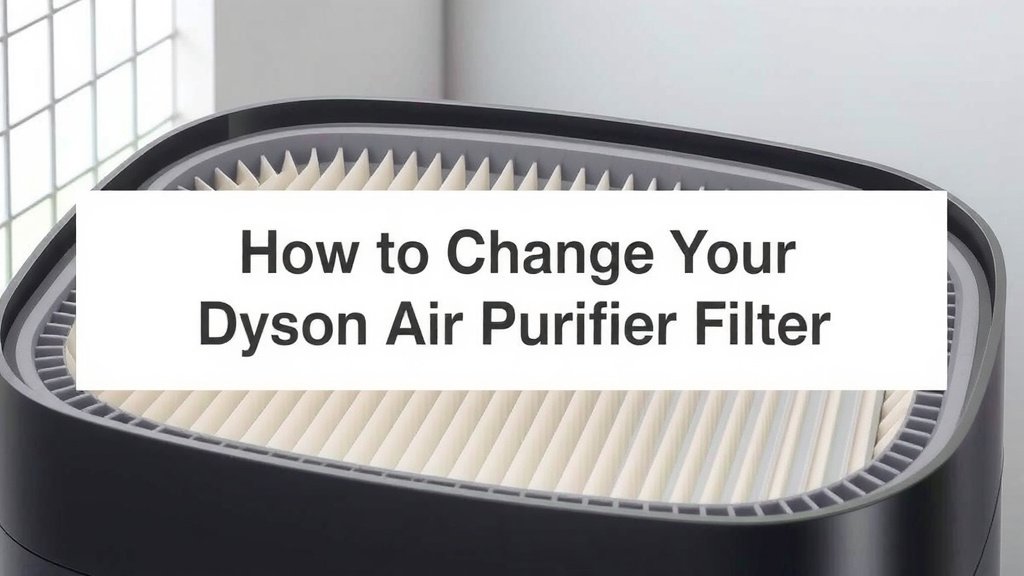
How to Change Your Dyson Air Purifier Filter
Changing your Dyson air purifier filter is **simpler than you think**. You’ll want to replace it about once a year, or when your machine signals it’s time. This helps ensure your purifier **keeps running efficiently** and cleans your air effectively. Don’t worry, it’s a straightforward process that takes just a few minutes.
Regularly changing your Dyson air purifier filter is **essential for optimal performance**. Over time, filters become clogged with dust and allergens. This makes it harder for your machine to draw in air. Replacing the filter ensures **clean air delivery** and prevents strain on the motor. Many experts recommend this simple maintenance task.
- Locate the filter compartment on your Dyson.
- Carefully remove the old filter.
- Insert the new, genuine Dyson filter.
- Close the compartment securely.
- Reset the filter life indicator if needed.
Ready to give your Dyson purifier a fresh start? Let’s walk through exactly how to change that filter, step by step.
Caring for Your Dyson Air Purifier: A Filter Change Guide
Changing the filter on your Dyson air purifier is a fundamental part of keeping your home’s air clean and your machine running smoothly. Think of it like giving your purifier a fresh pair of lungs. You wouldn’t expect a person to breathe easily through a clogged nose, right? Your Dyson feels the same way!
When Should You Change Your Dyson Air Purifier Filter?
Your Dyson air purifier is pretty smart about telling you when it’s time for a filter change. Most models have a built-in indicator that will alert you. This usually happens after about a year of use. However, this can vary depending on how much you use your purifier and the air quality in your home. If you live in an area with a lot of dust or allergens, you might need to change it sooner.
We found that paying attention to your machine’s alerts is the most reliable method. Ignoring these signals can lead to decreased performance. The purifier will have to work harder to pull air through a blocked filter. This can strain the motor over time, something we all want to avoid for our trusty appliances.
Understanding Your Dyson’s Filter Type
Before you begin, it’s helpful to know what kind of filter your specific Dyson model uses. Most Dyson air purifiers come with a combination filter. This single unit typically includes both a HEPA filter and an activated carbon filter. The HEPA part captures tiny particles like dust, pollen, and pet dander. The carbon part absorbs gases, odors, and volatile organic compounds (VOCs).
It’s important to use only genuine Dyson replacement filters. Aftermarket filters might not fit correctly or offer the same level of filtration. We discovered that using genuine parts ensures your purifier continues to perform as designed by Dyson engineers. Plus, it helps maintain your warranty. You can usually find the exact filter number on your old filter or in your purifier’s manual.
Gathering Your Supplies
You won’t need much for this task, which is good news! First, make sure you have your new, genuine Dyson replacement filter ready to go. It should be in its sealed packaging. You might also want a soft cloth or a damp paper towel handy. This is just in case there’s a bit of dust inside the filter housing that you want to wipe away.
Unlike some other home maintenance tasks, you won’t need any tools. Dyson designs their products with user-friendliness in mind. This means you can typically complete the filter change without any screwdrivers or special equipment. Just set aside a few minutes, and you’re good to go!
Step-by-Step: How to Change Your Dyson Air Purifier Filter
Let’s get this done! We’ll walk you through the process, so you can get back to enjoying cleaner air.
Step 1: Power Down and Locate the Filter
The very first step is crucial for safety. Make sure your Dyson air purifier is switched off and unplugged from the wall outlet. You don’t want any accidental power surges while you’re working on it. Once it’s safely powered down, you need to find the filter compartment. On most Dyson models, the filter is located at the base of the machine or along the side.
You’ll usually see a seam or a release mechanism that indicates where the filter housing is. Many models have a button or a latch you need to press. Gently feel around the base or sides of your purifier for this.
Step 2: Removing the Old Filter
Once you’ve located the filter compartment, it’s time to remove the old filter. This often involves twisting a section of the purifier’s housing or pressing a release button. Your Dyson’s manual will have the exact instructions for your model, but generally, you’ll twist the filter housing counter-clockwise. It should then pull away or release.
Gently slide the old filter out. Be prepared; it might look a bit dusty and unsightly! This is a good sign that it was doing its job. You can often see how clogged it is, confirming the need for a replacement. You might want to place the old filter directly into a trash bag to contain any dust.
Step 3: Inserting the New Filter
Now for the satisfying part! Take your new, genuine Dyson filter out of its packaging. Make sure to remove any protective plastic wrap from the filter itself. There’s usually no need to handle the filter media directly; grip it by its tabs or casing.
Align the new filter with the opening in your purifier. It should only fit one way, so don’t force it. Gently push the new filter into place. You might feel or hear a slight click when it’s seated correctly. If you removed a filter housing, you’ll now reattach it by twisting it clockwise until it locks securely.
Step 4: Final Checks and Resetting
With the new filter in place, give it a gentle nudge to ensure it’s secure. If you wiped down the filter housing, make sure that area is dry. Now, plug your Dyson air purifier back in and turn it on. You should notice immediately that it sounds a bit quieter or runs more smoothly.
Many Dyson models require you to reset the filter life indicator. This tells the machine that a new filter has been installed. The method for resetting varies, but it often involves pressing and holding a specific button on the remote or the unit itself for several seconds. Check your user manual for the exact procedure for your model. This ensures accurate tracking of your filter’s lifespan.
Filter Maintenance Checklist
- Unplug and Power Down: Always ensure your purifier is off and disconnected from power before starting.
- Locate Filter Housing: Find the designated compartment where the filter is housed.
- Remove Old Filter Carefully: Twist or release the old filter and slide it out, ready for disposal.
- Insert New Filter Correctly: Align the new genuine Dyson filter and push it in until it clicks or locks.
- Reassemble Housing: Securely reattach any cover or housing you removed.
- Reset Indicator: Follow your model’s instructions to reset the filter life notification.
Conclusion
You’ve now learned how simple it is to keep your Dyson air purifier working its best. Changing the filter regularly ensures you’re always breathing clean, fresh air. We’ve walked through identifying when to change it, gathering your supplies, and the easy step-by-step process. Remember to always use genuine Dyson filters for optimal performance and to protect your machine. Don’t wait for your purifier’s alert; take a moment now to check your filter’s status and order your replacement if needed. Your lungs will thank you!
Frequently Asked Questions
How often should I really be changing my Dyson air purifier filter?
Your Dyson air purifier will typically alert you when it’s time to change the filter, usually around once a year. However, this can change based on your usage and local air quality. If you notice reduced airflow or if the air doesn’t seem as fresh, it might be time for a change even before the alert.
Can I wash my Dyson air purifier filter instead of replacing it?
No, Dyson filters are designed for single use and cannot be washed. The HEPA and activated carbon layers are intricate and cannot be cleaned effectively by rinsing. Washing a filter would damage its structure and compromise its ability to capture pollutants. Always replace it with a new, genuine Dyson filter.
What happens if I don’t change my Dyson air purifier filter?
If you don’t change your filter, it will become clogged with dust and allergens. This makes it harder for your purifier to draw in air, significantly reducing its efficiency. The machine will have to work harder, potentially straining the motor over time and decreasing the quality of air it cleans.
Where can I buy a genuine Dyson replacement filter?
You can purchase genuine Dyson replacement filters directly from the official Dyson website. We also found that authorized retailers and appliance parts stores often carry them. Always ensure you are buying a filter specifically designed for your Dyson model to guarantee a proper fit and effective filtration.
My Dyson model is old; can I still find replacement filters for it?
Dyson typically offers replacement parts for a reasonable period after a model is discontinued. It’s best to check the Dyson website or contact their customer service with your specific model number. They can confirm filter availability and help you find the correct part for your older purifier.