Ionizer Air Purifier: A Quick Guide to Effective Use
Using an ionizer air purifier is simple once you know the basic steps. You typically just need to Using an ionizer air purifier is simple once you know the basic steps. Our guide on how to set up an air purifier explains the process.plug it in and select your desired fan speed. The ionizer releases negative ions that attach to airborne particles, making them fall out of the air so your purifier can capture them.
While many ionizers are designed for easy operation, understanding their function can help you use them more effectively. It’s helpful to know how the ions work and what to expect in terms of results. We found that proper placement can also make a big difference in air quality.
- Understand the ion release: It’s the core function.
- Choose the right speed: Adjust based on your room.
- Placement matters: Don’t hide it away!
- Maintenance is key: Keep it clean for best results.
Let’s walk through exactly how to get the most out of your ionizer air purifier, step by step.
Getting Started with Your Ionizer Air Purifier
Using an ionizer air purifier is generally quite straightforward. Most models are designed for plug-and-play simplicity. You’ll typically just need to find a good spot for it, plug it in, and select your preferred fan setting. The magic happens as it quietly works to clean your air.
Understanding the Basic Function
Before you even plug it in, it’s helpful to know what’s going on inside. An ionizer air purifier works by releasing negative ions into the air. Think of these ions like tiny magnets for airborne particles. They’re not harmful; in fact, negative ions are naturally found in places like forests and near waterfalls.
These negative ions then attach themselves to airborne particles such as dust, pollen, and even smoke. When these particles become charged by the ions, they tend to clump together or become heavier. This makes them fall out of the air more quickly. Your air purifier then captures these larger particles.
Choosing the Right Fan Speed
Most ionizer air purifiers come with multiple fan speed settings. Think of these like the settings on a regular fan. You’ll usually find options like low, medium, and high, and sometimes an auto mode.
When to Use Low Speed
The low speed setting is perfect for everyday use, especially in bedrooms. It’s quieter and uses less energy. You’ll still get effective air purification without much distraction. We found this setting is ideal when you want to maintain good air quality throughout the day or night.
When to Use Medium or High Speed
If you notice a sudden increase in air pollutants, like when cooking or if someone in your home has allergies acting up, a medium or high speed might be more appropriate. These settings work faster to clear the air. You might hear a bit more fan noise, but the air will improve more quickly. Many experts suggest using a higher setting when you first start using the purifier in a new space.
Understanding Auto Mode
Some advanced models feature an auto mode. This setting uses sensors to detect the level of air pollution in your room. The purifier will then automatically adjust its fan speed accordingly. If the air quality drops, it speeds up. When the air is clean, it slows down. This is a great hands-off approach to maintaining healthy air.
Optimizing Placement for Best Results
Where you place your ionizer air purifier can significantly impact its effectiveness. It’s not just about finding an empty corner; strategic placement can make a real difference in how well it cleans your air.
Finding the Ideal Location
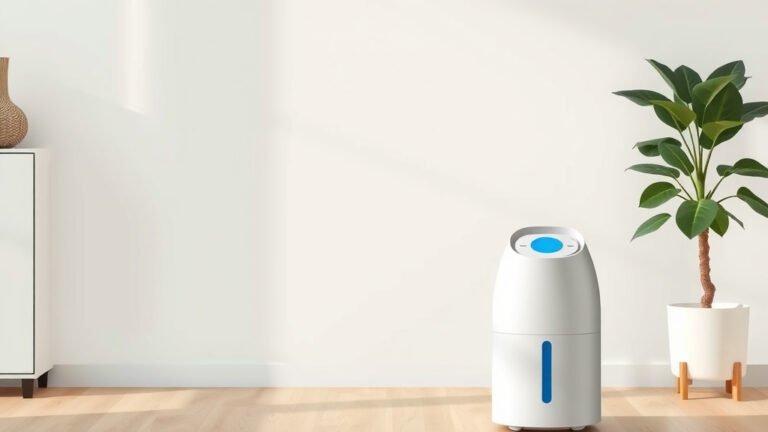
You want to position your air purifier in the room where you spend the most time. This is often the living room or bedroom. For general whole-home improvement, placing it in a central area like a hallway can also be beneficial. Avoid placing it directly in a corner or too close to walls, as this can restrict airflow. A general rule of thumb is to leave at least 12 inches of clear space around the unit.
Considering Room Size and Usage
The size of the room is a major factor. A small purifier in a large room won’t be very effective. Always check the manufacturer’s recommendations for the square footage your unit is designed to cover. If you’re trying to address specific issues, like cooking odors in the kitchen or pet dander in the den, consider placing it closer to the source of the problem.
Avoiding Obstructions and Interference
Make sure nothing is blocking the air intake or the air outlet of your purifier. This includes furniture, curtains, or even stacks of papers. Obstructions make the unit work harder and less efficiently. Also, some devices can interfere with ionizers. Keep them away from electronics that might be sensitive.
Essential Maintenance for Peak Performance
Like any appliance, your ionizer air purifier needs a little care to keep running smoothly. Regular maintenance ensures it continues to effectively clean your air.
Cleaning the Pre-Filter
Many ionizers have a washable pre-filter. This is usually the first line of defense, capturing larger particles like hair and lint. Check your manual, but typically you can gently vacuum this filter or rinse it with water. Make sure it’s completely dry before putting it back in. We found cleaning this filter monthly can really help maintain airflow.
Wiping Down the Ion Emitter
The ion emitter is where the magic happens, but it can sometimes get dusty. Depending on your model, you might need to gently wipe the emitter with a soft, dry cloth or a slightly damp cloth. Again, consult your owner’s manual for specific instructions, as you don’t want to damage these delicate parts. Over time, dust buildup can reduce the ion output.
Checking for Other Filters
Some ionizer air purifiers also include HEPA filters or activated carbon filters. These usually require replacement rather than cleaning. The manufacturer will provide a schedule for when to replace them, typically every 6-12 months, depending on usage and air quality. Ignoring filter replacement can severely These usually require replacement rather than cleaning. The manufacturer will provide a schedule for when to replace them. Our guide explains when to replace your air purifier filter.reduce your purifier’s effectiveness. Many experts recommend marking your calendar when filters were last changed.
Here’s a quick checklist to help you remember the key steps:
- Place the unit in a central location with good airflow.
- Ensure at least 12 inches of clearance around the purifier.
- Select a fan speed appropriate for your room’s needs.
- Clean or vacuum the pre-filter regularly.
- Gently wipe down the ion emitter as recommended.
- Replace other filters (HEPA, carbon) on schedule.
Conclusion
You’ve learned how simple it is to use your ionizer air purifier effectively. By understanding its core function of releasing negative ions, you can appreciate how it cleans your air. Remember to choose the right fan speed for your needs, whether it’s for quiet nighttime use or quickly clearing the air after cooking. Strategic placement and consistent maintenance, like cleaning filters, are your keys to optimal performance. Keep these tips in mind, and you’ll enjoy cleaner, fresher air in your home.
Ready to get started? Plug in your purifier, select a suitable fan speed, and place it where it can work its best. Your lungs will thank you!
Frequently Asked Questions
Will an ionizer air purifier make my room smell like ozone?
Some older or malfunctioning ionizers might produce a faint ozone smell. Modern, high-quality ionizers are designed to produce minimal to no ozone, which is generally considered safe at very low levels. If you notice a strong ozone odor, check your unit’s manual or consider contacting the manufacturer.
How often should I clean the ion emitter?
The frequency for cleaning the ion emitter depends on your environment and how often you use the purifier. We found that a gentle wipe-down every 1-3 months is usually sufficient. Dust buildup can reduce the ion output, so regular checks are helpful.
Can I run my ionizer air purifier 24/7?
Yes, you can typically run your ionizer air purifier continuously. Most units are designed for long-term operation. Running it 24/7 will provide the most consistent air purification. Just ensure it’s placed in a well-ventilated area and that you follow the recommended maintenance schedule.
Are ionizer air purifiers safe for pets?
Ionizer air purifiers are generally considered safe for pets. The negative ions they release are naturally occurring and not harmful. However, if your pet is particularly sensitive or has respiratory issues, it’s always wise to consult with your veterinarian first.
What’s the difference between an ionizer and a HEPA filter air purifier?
An ionizer releases negative ions to charge and drop airborne particles, which are then often collected by a filter or the unit itself. A HEPA filter air purifier physically traps particles in a dense filter material. Many purifiers combine both technologies for enhanced air cleaning.